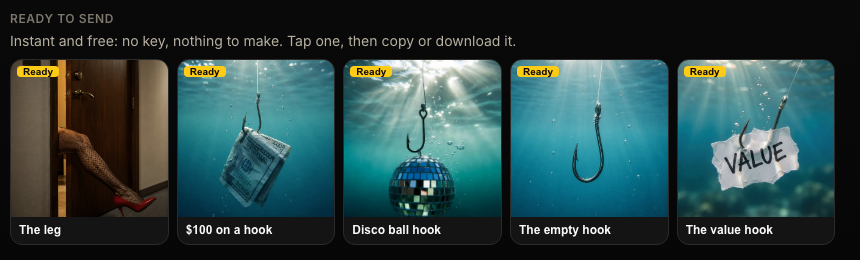
Hook images
Funny, personal pictures to open or restart a quiet conversation. Ready-made ones are free, or make your own from a photo of you.
Witness · the setter CRM
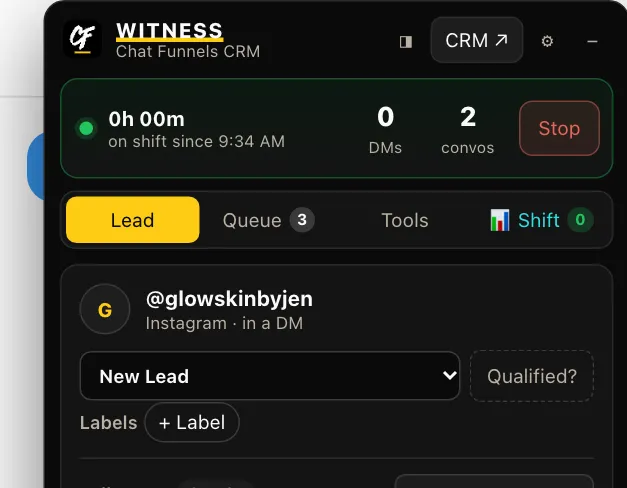
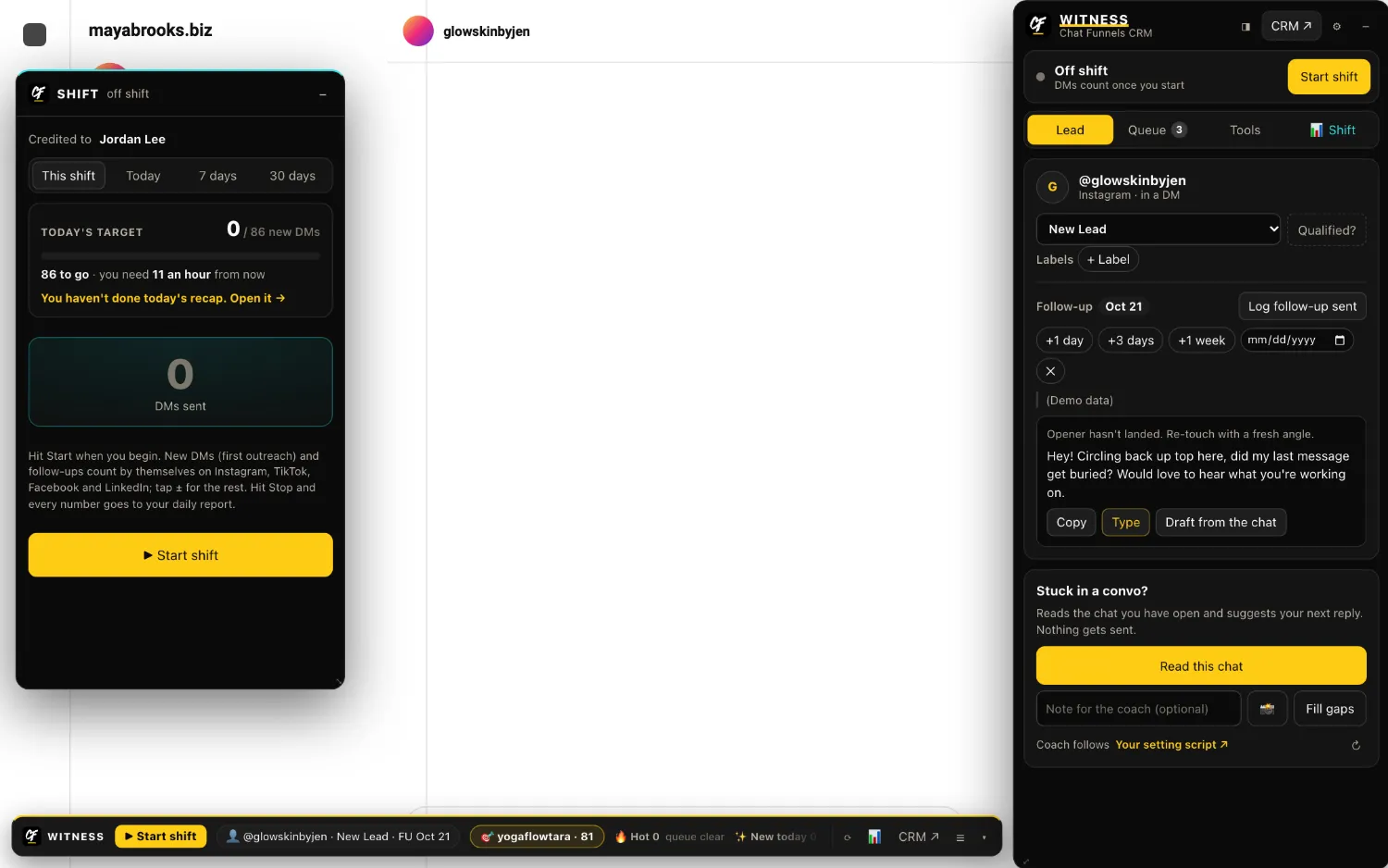
Witness sits right inside Instagram, TikTok, Facebook and LinkedIn. It writes openers from a lead's profile, counts every message your setters send, tells them who to follow up with, and gives you numbers you can trust. No forms and no spreadsheets.
Witness is for Chat Funnels members and their teams. The screenshots on this page are the real app with demo data.
The product
Openers
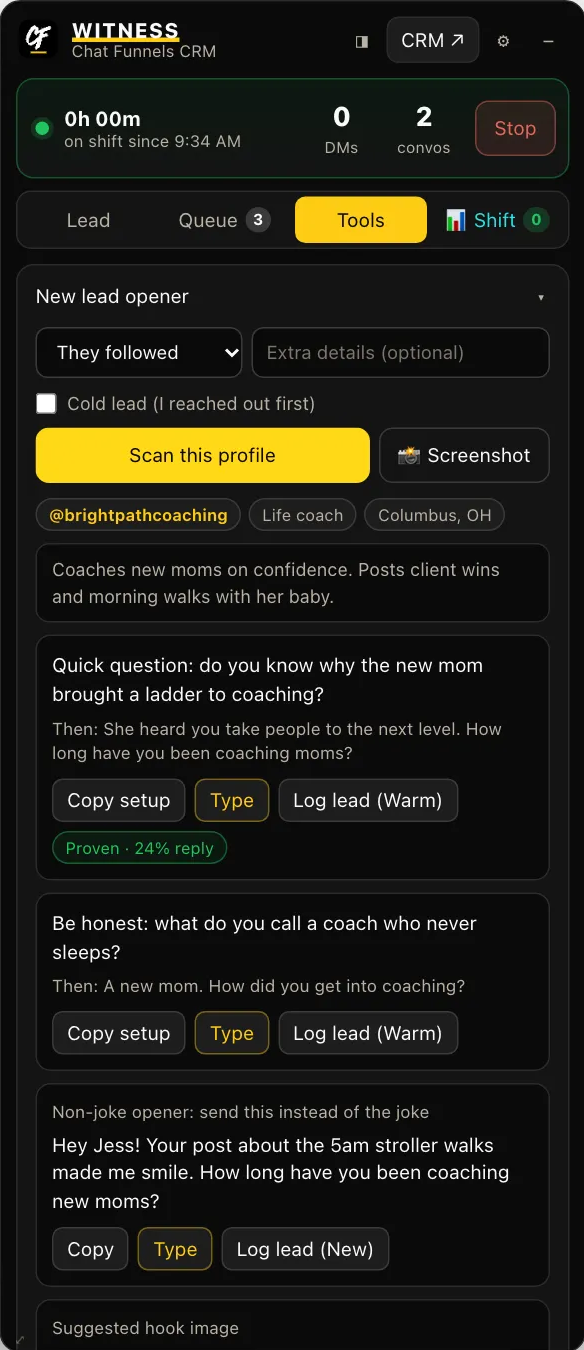
Scan a profile and Witness reads what they post, then writes openers that fit: a dad joke with its punchline ready, or a plain greeting with the message that goes right behind it. Copy it, or let Witness type it into the chat for you to send.
Counting
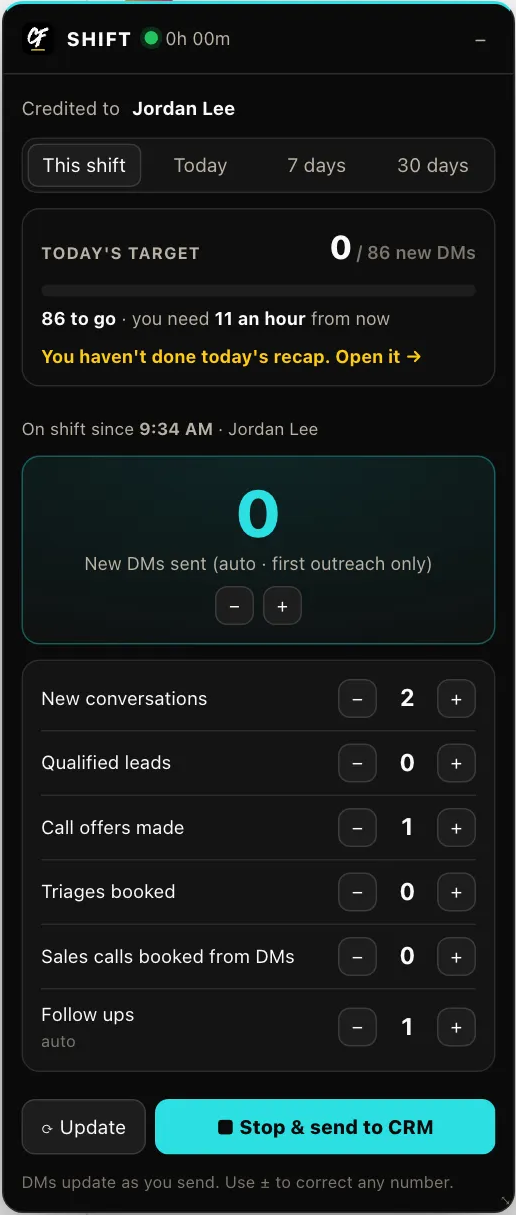
Setters press Start and message the way they already do. Witness counts new DMs and follow-ups as they go out, shows today's target, and fills in the daily report when they press Stop.
Mid-conversation help
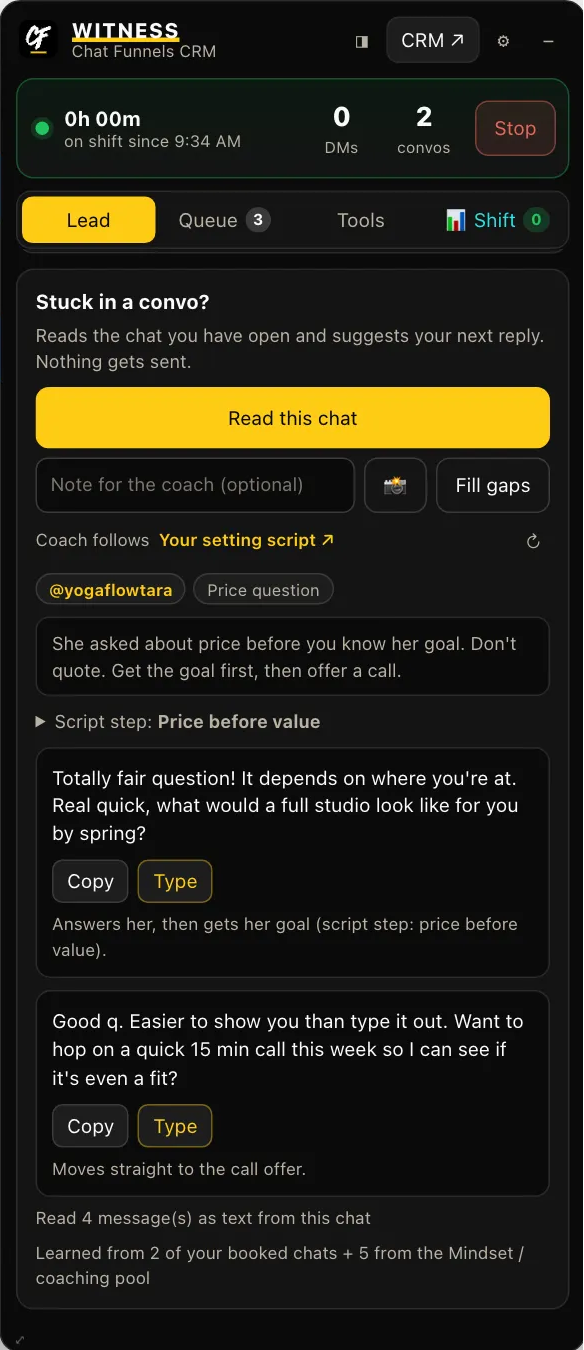
Read this chat looks at the open conversation and suggests what to send next, following your own setting script. A person reads it, changes it if they want, and sends it. Witness never sends a message on its own.
Follow-ups
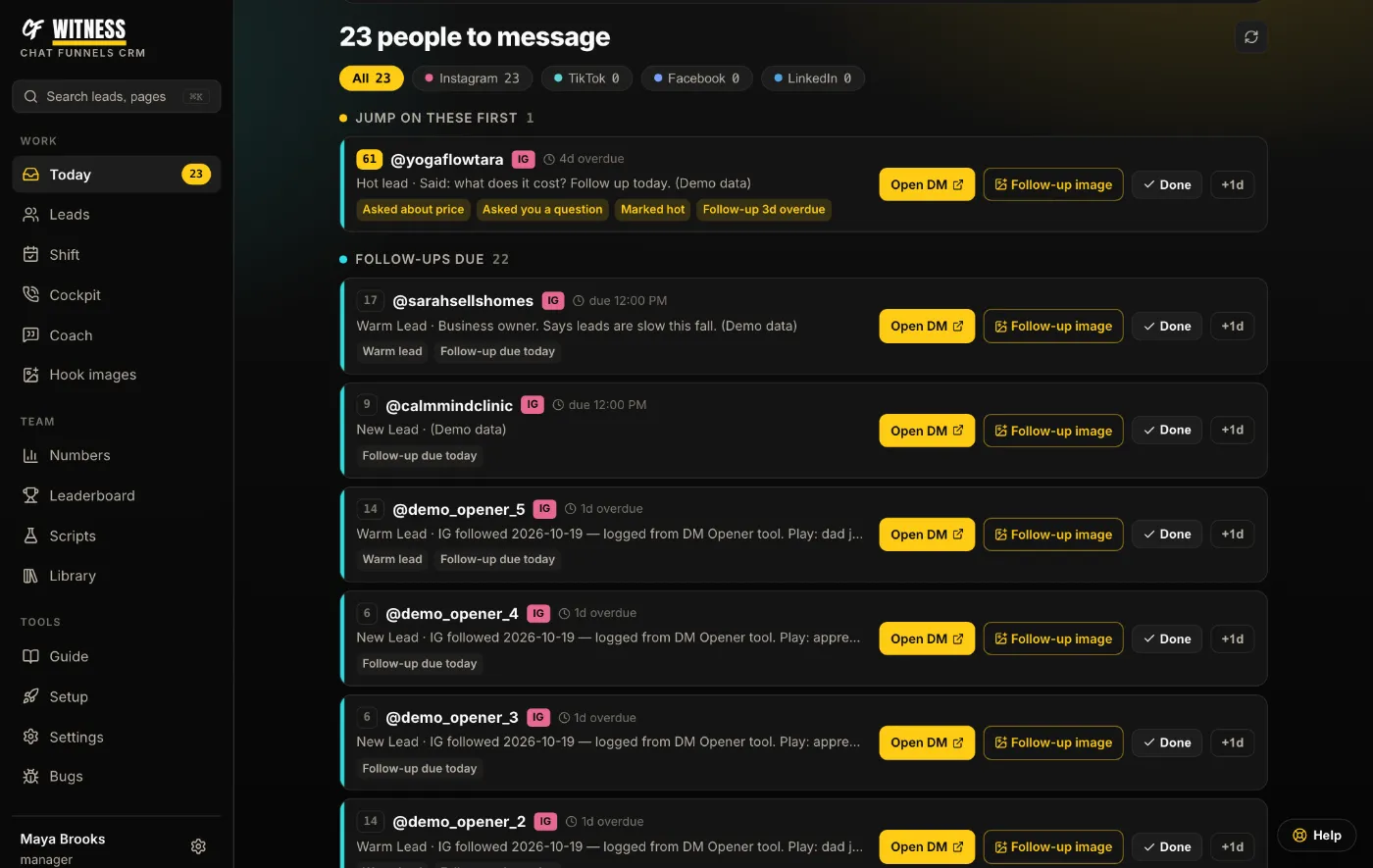
Today shows who replied and is waiting on you, who went quiet, and which follow-ups are due. Open the DM straight from the list, and mark it done when it's sent.
Pipeline
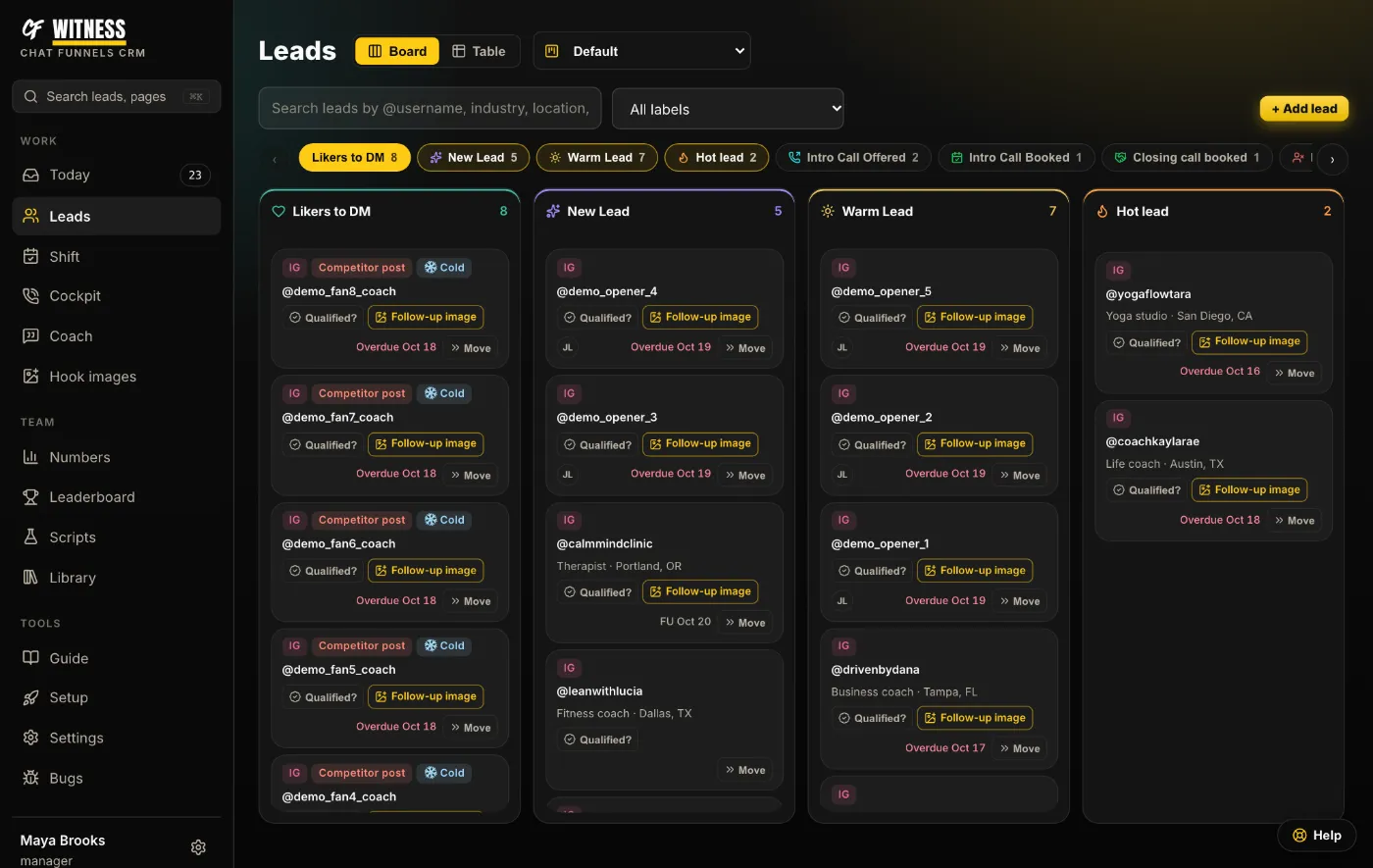
Leads land on the board when the first message goes out and move as the conversation moves. Build your own pipelines and stages. Connect GoHighLevel and every card shows up in your GHL pipeline too, on the contact that has their DM conversation.
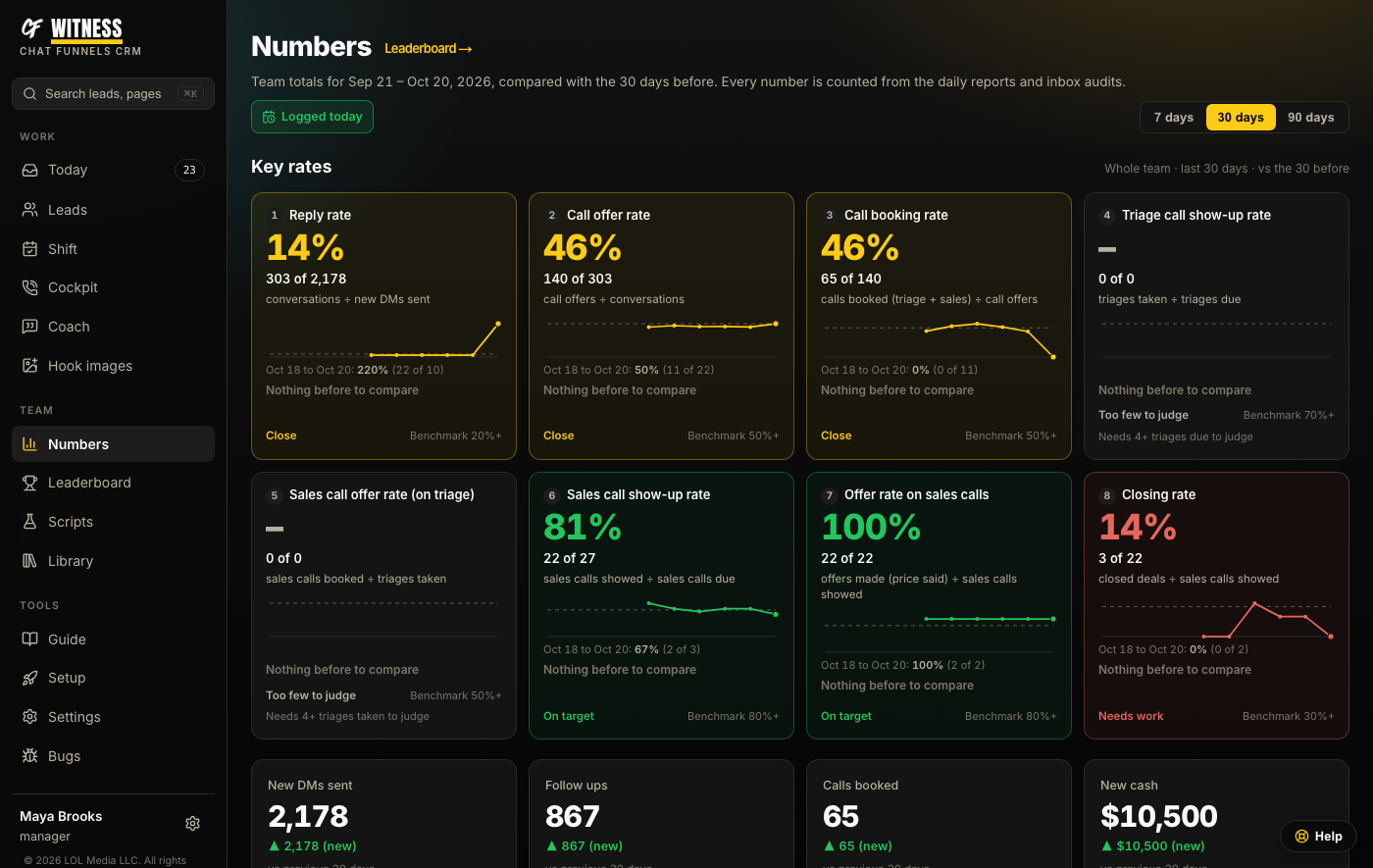
Numbers
DMs sent, reply rate, calls booked and cash collected, with a funnel that shows exactly where people drop off. Every number is counted from what actually happened, never typed in from memory.
And the rest of the toolkit
Funny, personal pictures to open or restart a quiet conversation. Ready-made ones are free, or make your own from a photo of you.
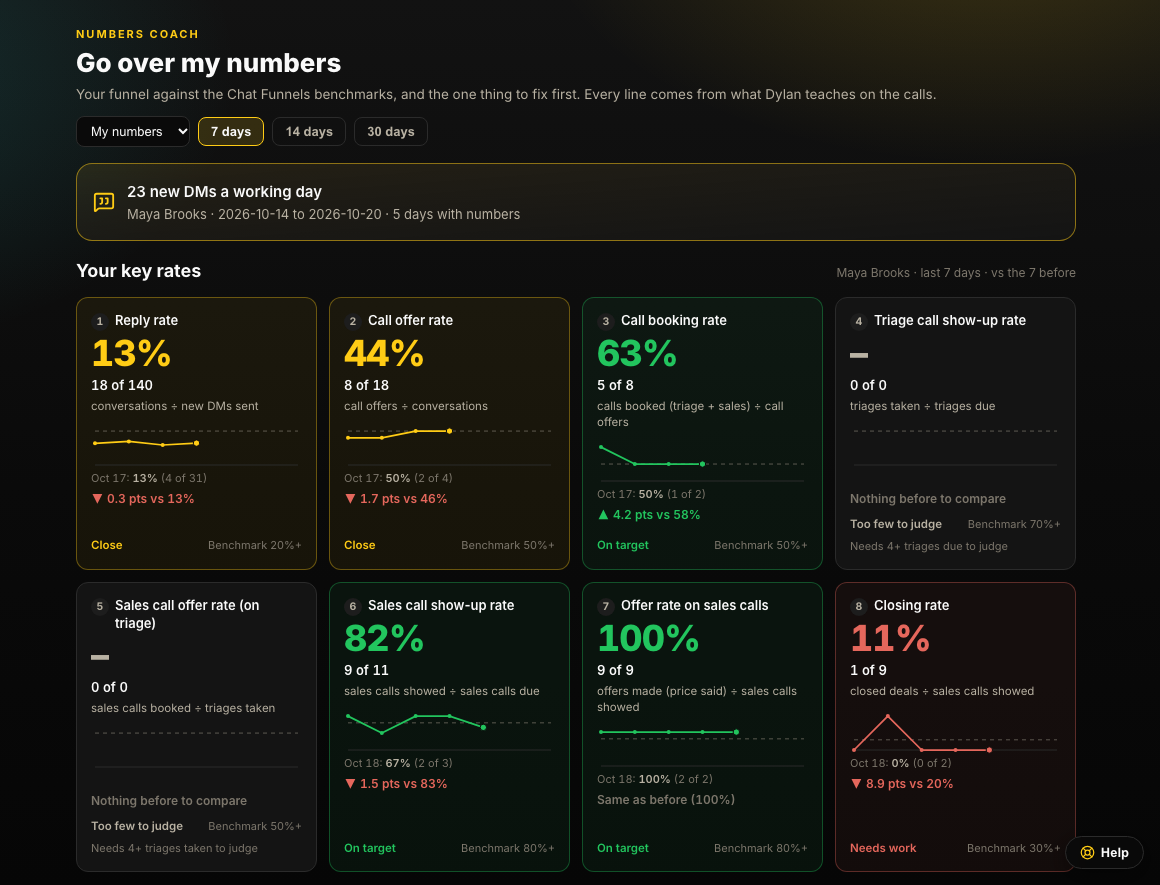
Your funnel against proven benchmarks, rate by rate, with the one thing to fix first.
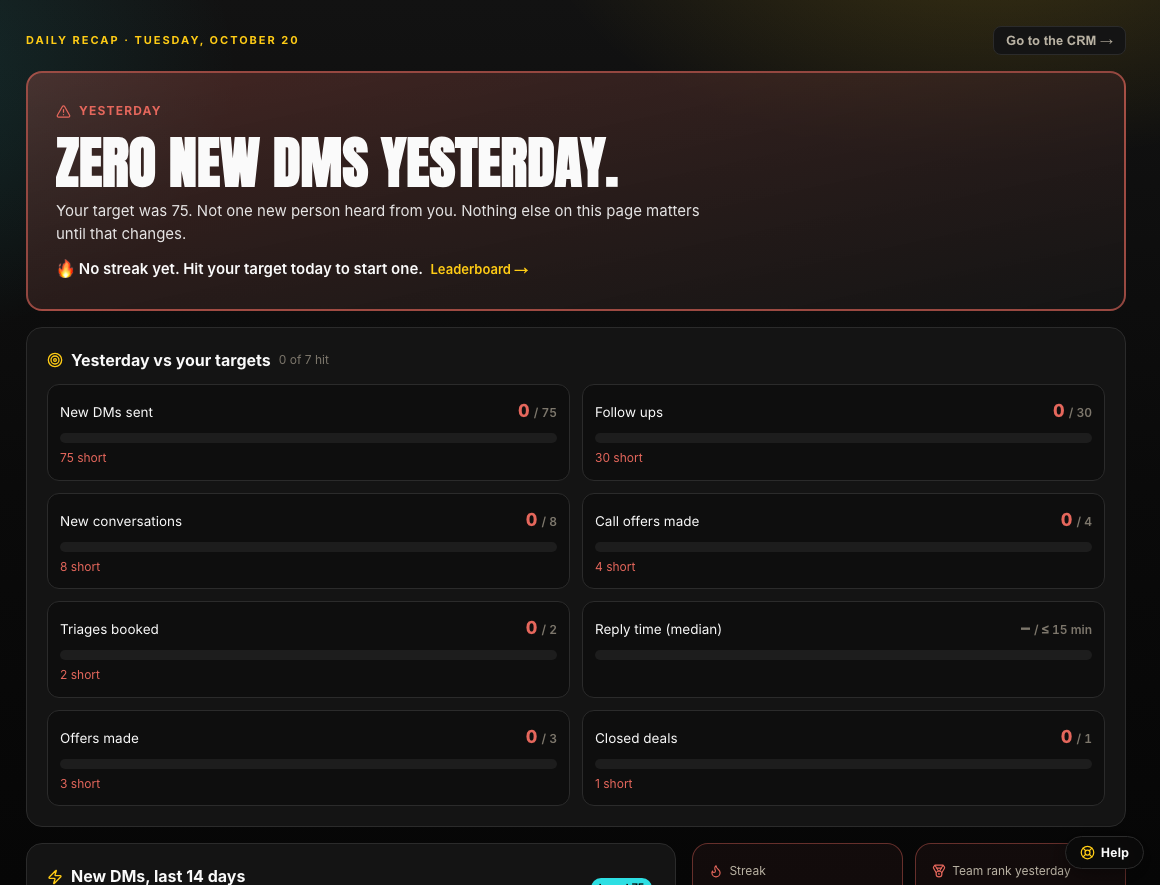
Every morning: yesterday against your targets, your streak, and the last two weeks. Hard to ignore on purpose.
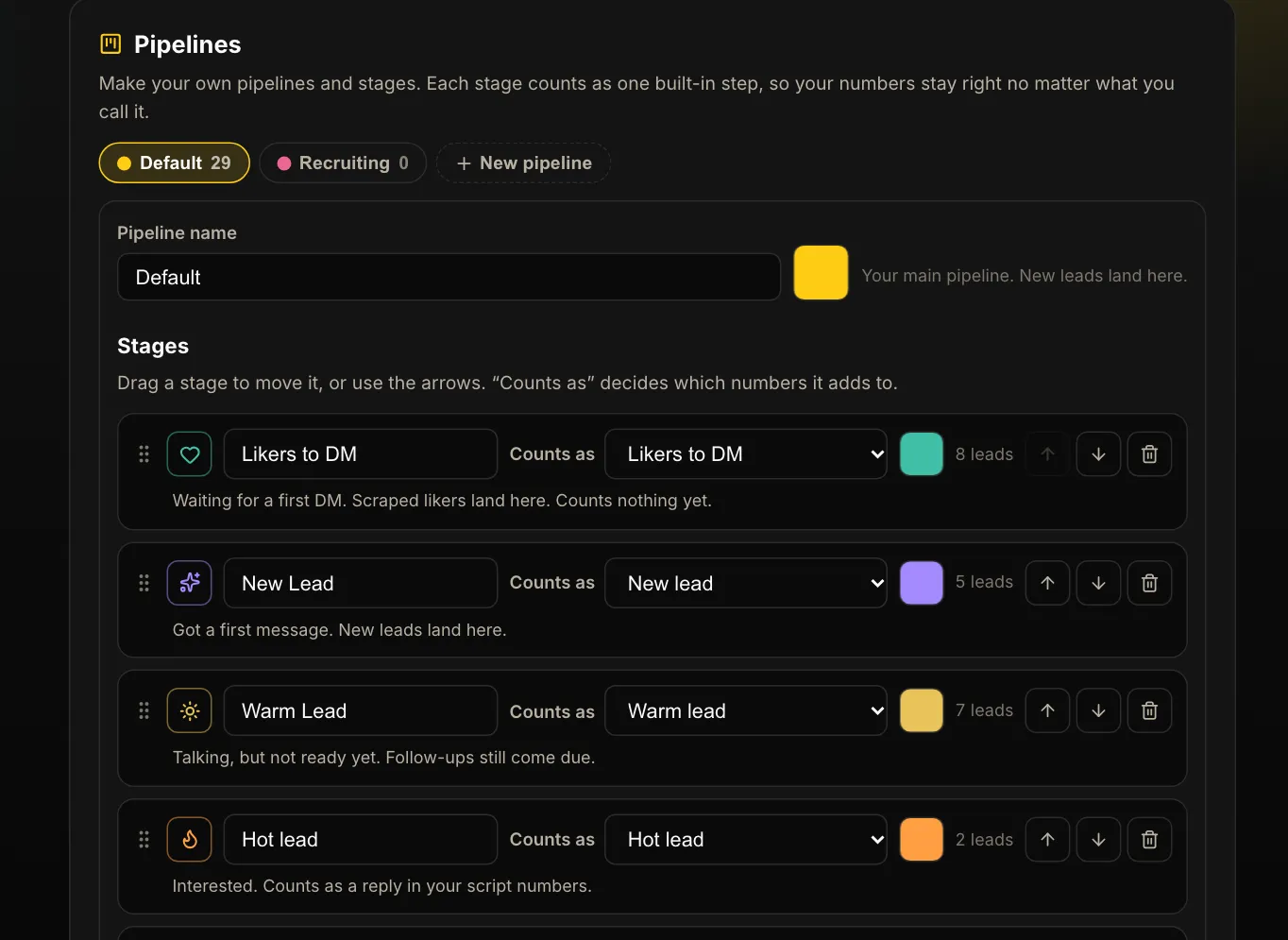
Name your stages the way your team talks. Every stage still counts the right way in your numbers.
For coaching programs and agencies
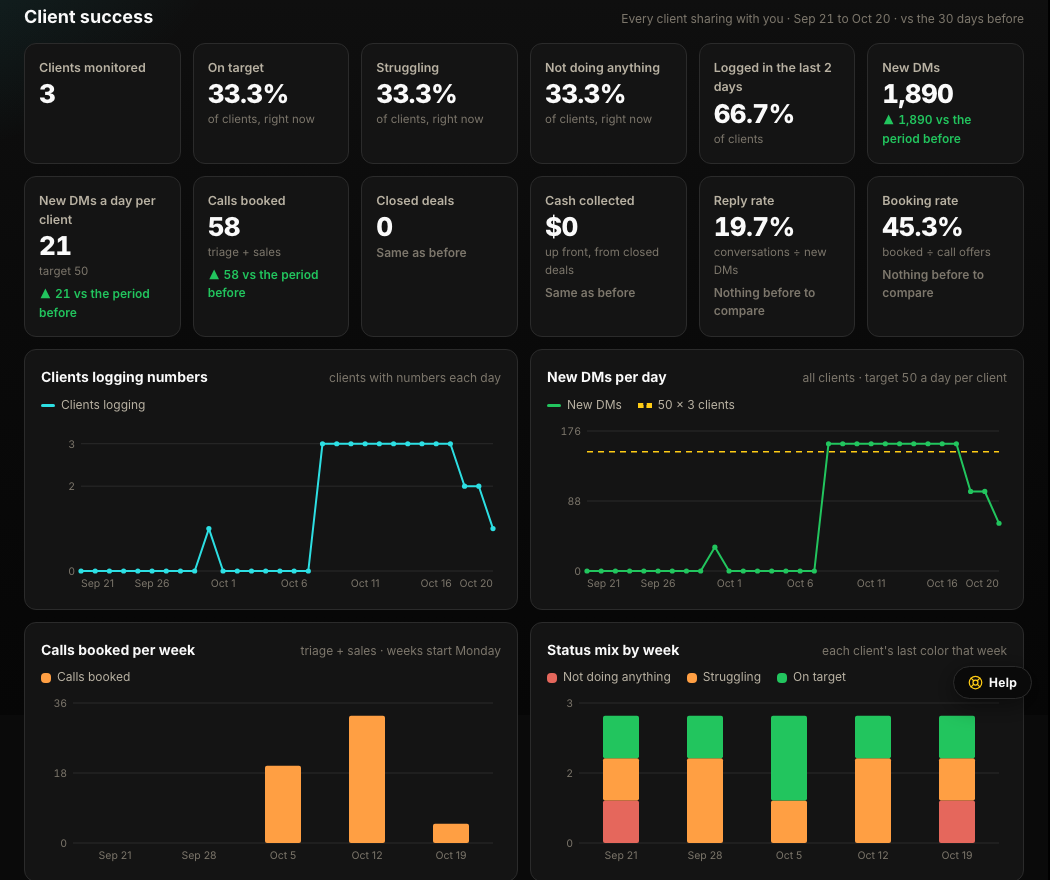
Give clients your own sign-up page. They make an account and run the launch kit: an interview, a one-time scan of their best posts and their competitors' longest-running ads, then 5 ad scripts. Their numbers come to you automatically until they stop sharing or you offboard them. You see every client in red, orange or green, who went quiet, and what changed since the last call.
Getting started
Use the Chat Funnels sign-up page and your access code. Then tell Witness what you sell and paste in your setting script.
Install the Chrome extension and connect it with one click from Setup. Invite your setters with a link.
Message the way you already do. Witness counts the sends, logs the leads and keeps the follow-ups coming.
Check the funnel, see which openers book calls, and coach from real data.
How your data is handled
Every number in your reports comes from counting sends, replies and buttons people pressed. AI only drafts message suggestions, and only if you add an AI key.
Witness reads, counts and suggests. A person types or approves and sends every message.
Saved chats are encrypted, with names, handles, phone numbers, emails and links removed. Nobody on your team can browse them.
Each account's leads, numbers and chats are kept apart from every other account by the database itself.
No. It writes openers and suggests replies, and it can type a line into the chat for you, but a person sends every message.
Instagram, TikTok, Facebook (personal profiles and Messenger) and LinkedIn, through a Chrome extension. The web app works on any browser and on your phone.
Yes. Paste a GHL Private Integration key in Settings and Witness builds a matching pipeline in your sub-account, then adds and moves a card for every lead you message, on the contact that has their DM conversation.
No. Counting, the daily list, the pipeline and the numbers all work without one. Openers and reply suggestions use your own AI key, and Setup walks you through getting one.
Right now Witness is for Chat Funnels members and their teams. Members make an account on the Chat Funnels sign-up page with the access code from their coach, then invite their setters with a link.
Yes. Invite teammates with a link. Each person signs in with their own email and gets their own extension key, so every count is credited to the right setter.
They're stored encrypted with identifying details removed. When a conversation books a call, that copy also helps the reply coach for other users who sell the same kind of offer, the same way their booked calls help yours. Nobody can read these chats in the app.
Chat Funnels members: make your account with the access code from your coach, add the extension, and run your first counted shift this afternoon.